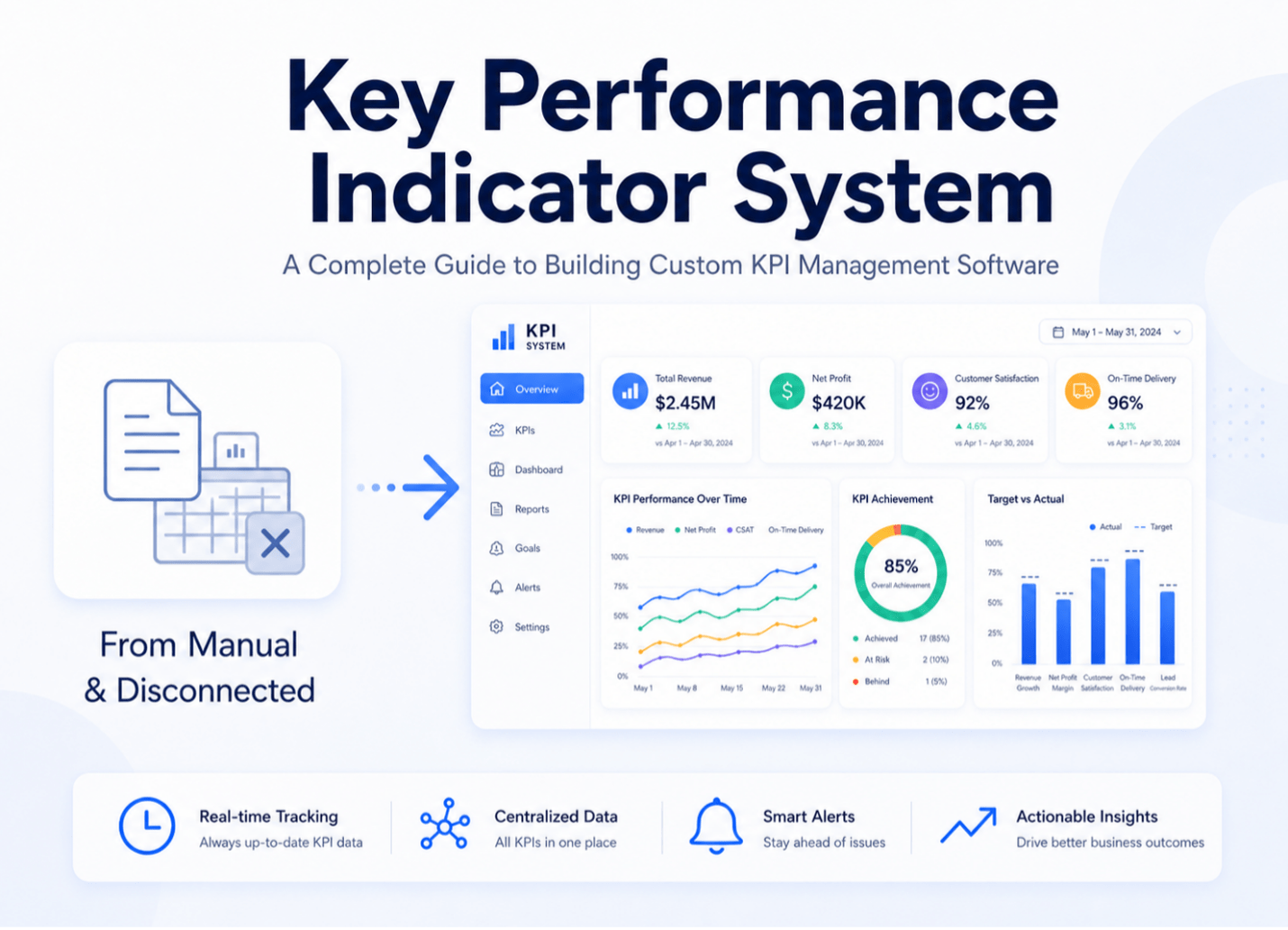
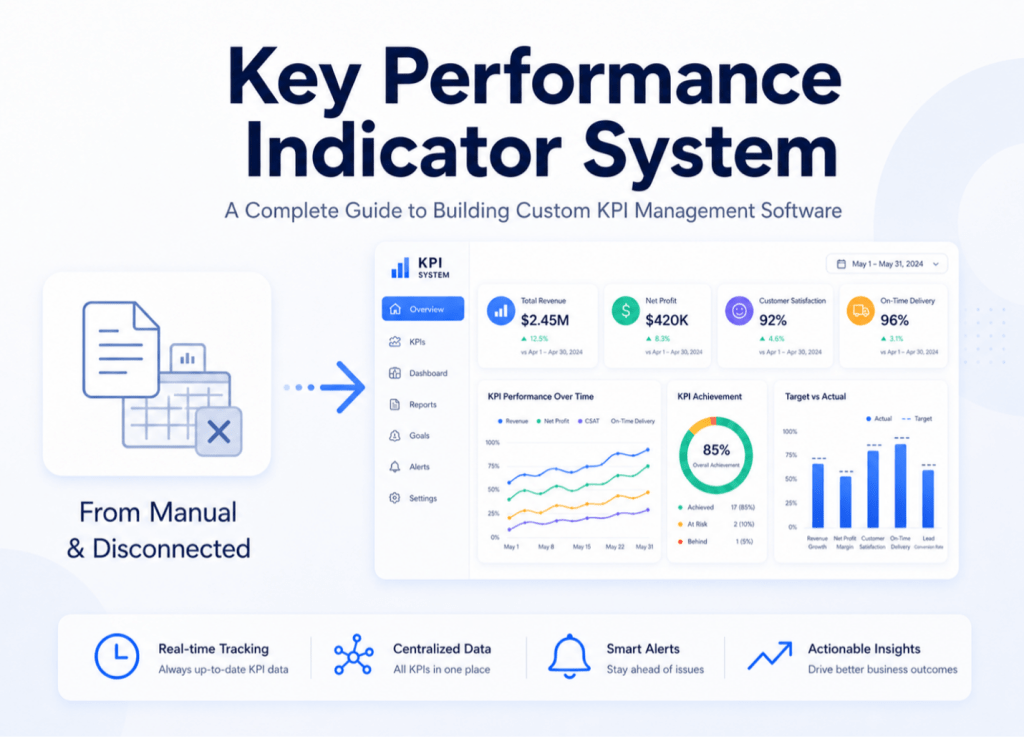
Summary: A business cannot improve without proper measurement. Although advanced tools exist, many companies still rely on spreadsheets to track employee and business performance, which leads to disconnected data, slow reporting, and outdated decision-making. A Key Performance Indicator System solves this by providing a centralized platform to track, measure, and report KPIs in real time through dashboards and structured reporting. It helps decision-makers monitor overall business performance in one place, compare results with goals, and make faster, more informed decisions, ultimately improving efficiency and business outcomes. Learn more about our data analytics solutions and business intelligence services that complement a KPI system.
What Is a Key Performance Indicator System?
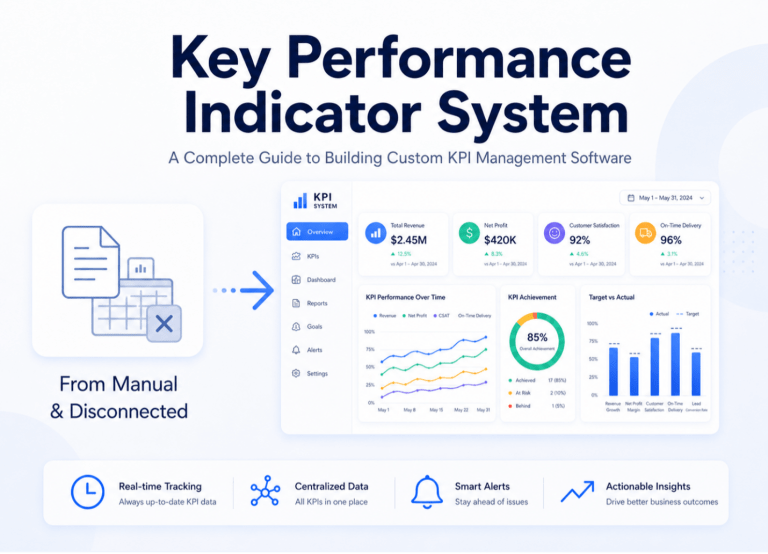
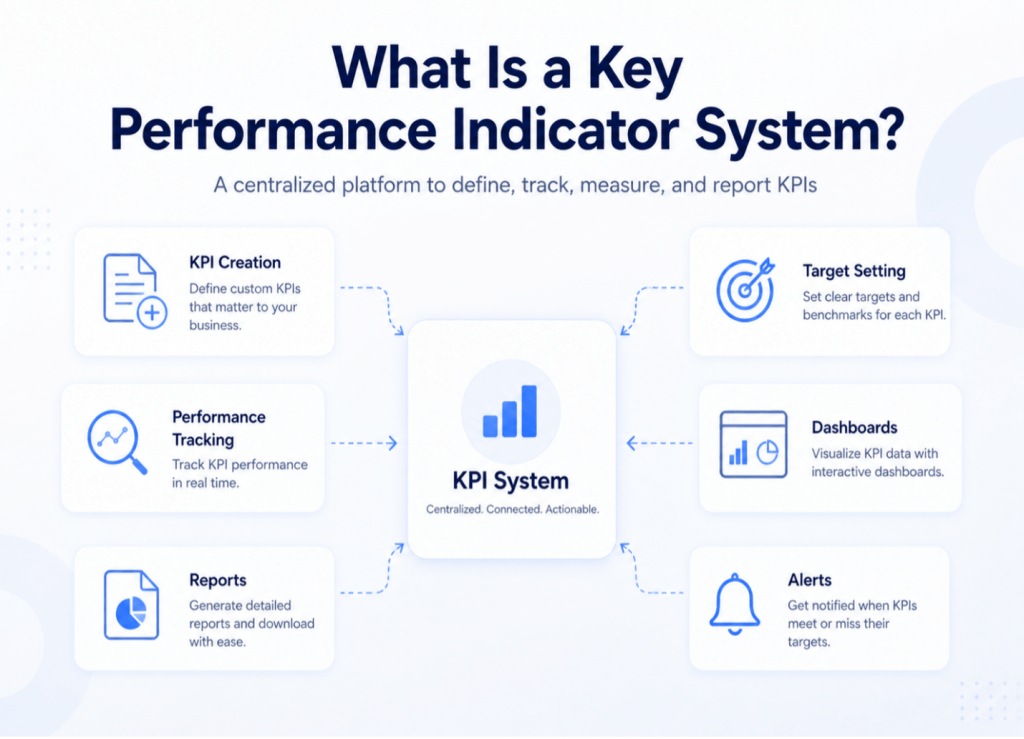
A key performance indicator system is a central system that keeps track of KPIs, reports on performance metrics, shows data on a dashboard, and reviews business performance.
Key Performance Indicators (KPIs) are critical measurable indicators of how close you are to accomplishing a goal. KPIs help people focus on what matters most, provide them with a way to make decisions based on data, and help them improve their strategic and operational performance.
The software environment where KPIs are made, assigned, tracked, reviewed, and reported is called a KPI system. Instead of looking at performance data in separate spreadsheets, a KPI system arranges all of it into one organized place.
A properly designed KPI system does the following things:
- Keeps track of business goals and compares actual performance against specific goals
- Gives managers a consistent, up-to-date picture of how the organization is doing
- Comes with dashboards, automated reports, smart alerts, and role-based access
- Can be customized to fit the needs of certain departments, projects, or types of industries.
- Allows for performance assessments monthly, quarterly, and yearly
The Global KPI Software Market was worth $3.33 billion in 2024 and is expected to increase at a rate of 10.27% per year to reach $8.96 billion by 2034. This growth shows that a lot of businesses are switching from keeping track of KPIs by manual method to using software to do it in a systematic way.
Why Businesses Need a Key Performance Indicator System
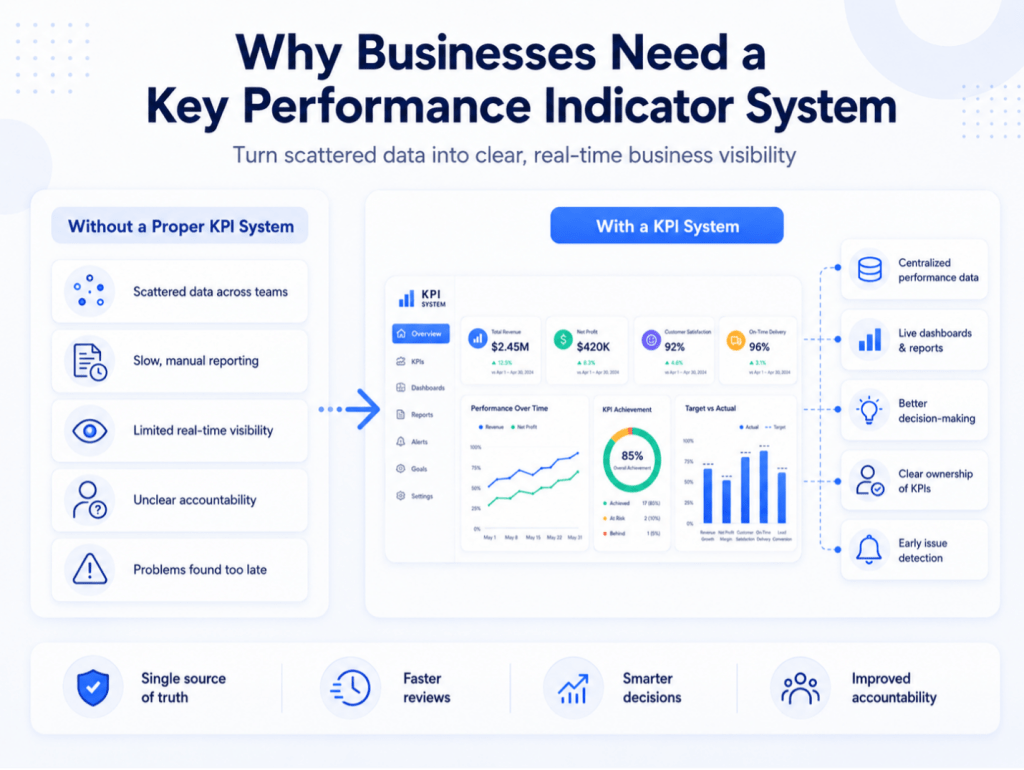
Many businesses don’t have a problem with their data. They have a problem in the way they do their assigned tasks. There is data, but it is delayed, scattered, or not credible.
Without a suitable system, businesses face these problems:
- There is no single source of truth for KPI data, which is spread out among many different files and departments
- It takes too long to compile reports, and by the time they are reviewed, they are out of date
- Management can’t see how well departments or projects are doing in real time
- Teams have no idea who is responsible for getting specific outcome
- Project delays are only found out after a lot of damage has been done
- 44% of employees say that human error is a major source of frustration while using spreadsheets
- Putting together data from different departments takes a lot of effort, and problems with data integrity can make important business decisions take much longer
A KPI system is a central area where all teams from different departments, projects, and locations can enter, track, and analyze performance. Organizations that use strong performance management methods are 4.2 times more likely to do better than their competitors. Companies that use continuous feedback systems say that their employees are 40% more engaged and their performance is 26% better.
Structured KPI management is more than something beneficial to have. It gives you an edge over your competitors.
Learn More About Our Key Performance Indicator System
QMS Solutions by Patricius IT
Key Features of KPI Management Software
The way a business actually operates should be the basis for custom KPI management software. Here are the most important parts that every good KPI system should have.
KPI Creation and Target Setting
The system requires a name for each KPI, a department in charge of it, an owner, a target value, a frequency of measurement, a formula for calculating it, a current state, and a reporting period. Every KPI needs to be linked to a real business goal. Organizations that link KPIs directly to their strategic goals have better results, work more efficiently, and reach their goals faster.
KPI Dashboard and Visualization
A KPI Dashboard Software module should have various views, such as an executive dashboard for top management, department dashboards, project dashboards, a construction dashboard for tracking at the site level, and monthly performance dashboards. Almost 41% of businesses now use KPI dashboards in order to monitor their performance in real time.
Performance Tracking and Reporting
A good Performance Tracking System module should let you compare actual performance to targets, measure progress on a weekly and monthly basis, analyze trends, evaluate past performance, and automatically make reports that are ready for management meetings.
Alerts and Notifications
The alert engine sends alerts to the right people at the right time. There are different kinds of alerts, such as missed target alerts, submission reminders, approval notifications, and performance warning alerts. Automatic alerts let you know about performance issues before they become expensive failures.
Role-Based Access
Different users need access to different data. A well-designed system assigns users roles like admin, management, department head, project manager, employee, and external viewer to limit what they can see, enter, or approve.
Report Export and Management Review
The system should be able to export presentations as PDFs, Excel files for further analysis, monthly reports, department reports, and management review reports that are ready for formal governance meetings.
KPI Dashboard Software vs. Custom Key Performance Indicator System
A lot of companies start with KPI dashboard tool and then realize that it only fixes part of the problem.
Criteria | KPI dashboard tool | Custom KPI System |
Main Purpose | Shows KPI data visually | Keeps track, maintains, reports on, and improves the entire KPI lifetime |
Flexibility | Only includes vendor features | Built around your specific workflow |
KPI Setup | Only basic display | Full creation with formula, owner, and target |
Reporting | Standard reports | Custom reports tailored to business needs |
Workflow | Fixed | Supports approval flow, review cycle, and notifications |
Integration | Depends on vendor | Connects with your existing business systems |
Ownership | Controlled by the vendor | Business-owned and fully controlled |
Best For | Simple dashboards | Full KPI management across the business |
A Gartner report from 2024 said that about 63% of businesses that used off-the-shelf systems had trouble integrating them within two years. This implies that businesses often end up spending more on fixes and add-ons than they would have if they had bought a custom solution from the start.
The main message: A KPI Dashboard Software can show performance data. A custom KPI system handles the whole KPI lifecycle, from creating and assigning them to tracking, sending alerts, getting approvals, reporting, and management review.
Key Performance Indicator Construction: KPI Tracking for Construction Companies
To finish projects on time and on budget, the construction industry needs meticulous planning, efficient execution, and ongoing improvement. It involves multiple teams, vendors, site conditions, safety standards, and limited budgets on projects, therefore systematic performance tracking is a must.
Construction KPIs are particular, measurable numbers that show how well a construction company or project is achieving its main goals. KPIs are different from general metrics because they are specifically chosen to represent strategic goals and give useful information. They give you the information you need to go beyond reactive fire-fighting to proactive strategic planning.
The purpose of companies looking for key performance indicator construction solutions is to keep monitoring on the health of a project, cut down on delays, keep costs down, and make site-level performance more visible. A custom system can keep track of:
- The percentage of the project that is completed and the schedule performance indicator (SPI)
- Cost performance index (CPI) and budget variance
- The rate of safety incidents and the percentage of rework
- Use of materials and equipment
- The rate at which contractors pass performance and quality inspections
- Keeping track of site productivity and delays
KPIs give project managers real-time information about how much of their funds are being spent and how close the project is to its timeline. This helps managers spot risks early and make sure teams stay on track with project goals.
How Do You Develop a Quality Management System? Planning Checklist
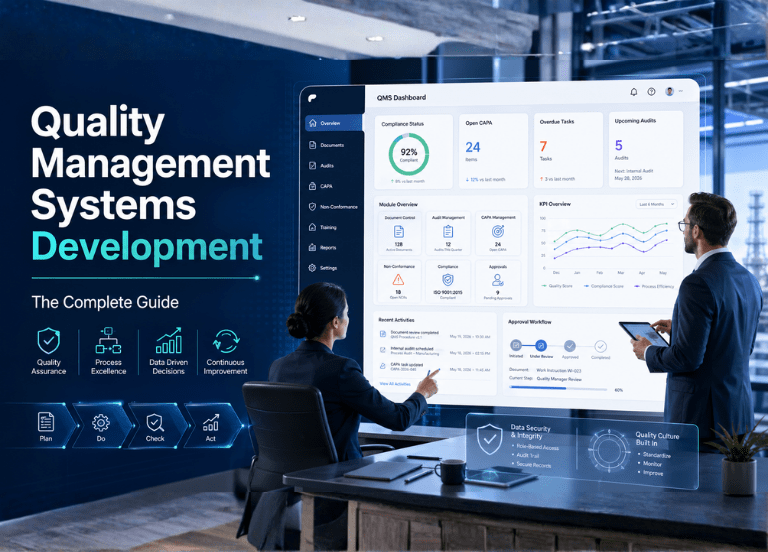
Before writing a single line of code, the best method to create a quality management system is to follow a structured planning checklist. These seven steps set apart QMS projects that are successful from those that don’t get off the ground: It also gives teams a practical view of how to develop a quality management system before development starts.
- Conduct regulatory and standards research: Make a list of every standard that your QMS must follow, such as ISO 9001 and standards that are specific to your industry. This first step clarifies how to develop a quality management system around the right compliance obligations.
- Perform a gap analysis of current quality processes: Note down what is there now and what is missing.
- Get top-down stakeholder sign-off: Executive sponsorship is non-negotiable.
- Define your tech stack and integration points: Find out which systems (ERP, CRM, PLM) the QMS needs to work with.
- Create a data migration plan: The older quality data needs to move seamlessly into the new system.
- Build a staff training plan: Don’t plan a training session that works for everyone; instead, plan for role-based training. Role-based training also supports how to develop a quality management system that people can actually use.
- Set up an audit and review schedule: Set a time and method for evaluating the system when it becomes live.
The two most overlooked steps are data migration planning and post-launch audit scheduling. Organisations spend a lot establishing the system, but they don’t realize how hard it is to migrate historical records. Then they don’t set up the review schedule that is needed to sustain improvement. Planning for what occurs after the launch is just as crucial as planning for what happens before it.
How a Performance Tracking System Improves Business Decisions
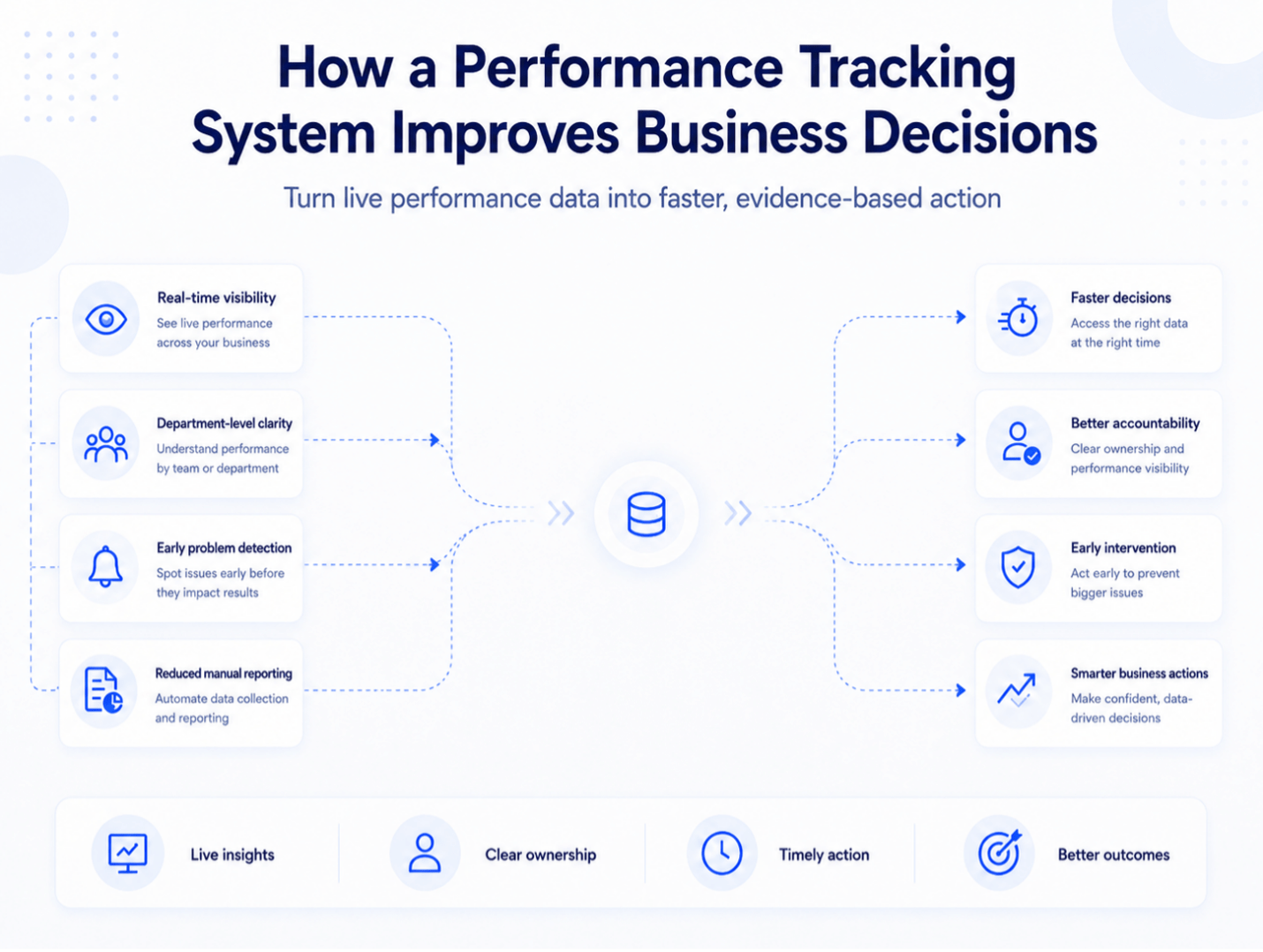
A Performance Tracking System does more than just collect data. It impacts the way leaders work in significant ways, moving decisions from being based on assumptions and reactions to being based on evidence and being proactive.
KPIs are now a key component of facilitating the way businesses grow. They allow organizations to make data-driven decisions that help them plan their goals, optimize their procedures, and boost their overall performance.
Here is how a KPI system helps businesses make better decisions:
- With real-time visibility, leaders can analyze live performance data instead of a spreadsheet from last month
- Department-level clarity shows which teams are doing well and which ones need help
- Early problem identification finds performance gaps before they turn into costly failures
- Clean, ready-to-use performance data backs up structured reviews
- Less manual reporting gives analysts more time to come up with insights
- Giving specific people measurable goals makes the team more responsible
- Management can step in early to stop small problems from becoming major ones
For example, if a building project is behind schedule, the Performance Tracking System will show the delay immediately. Management can check into the source, assign responsibility for fixing it, and keep an eye on the results, all within the system, without having to wait for the next site visit or monthly report.
How to Build a Custom Key Performance Indicator System
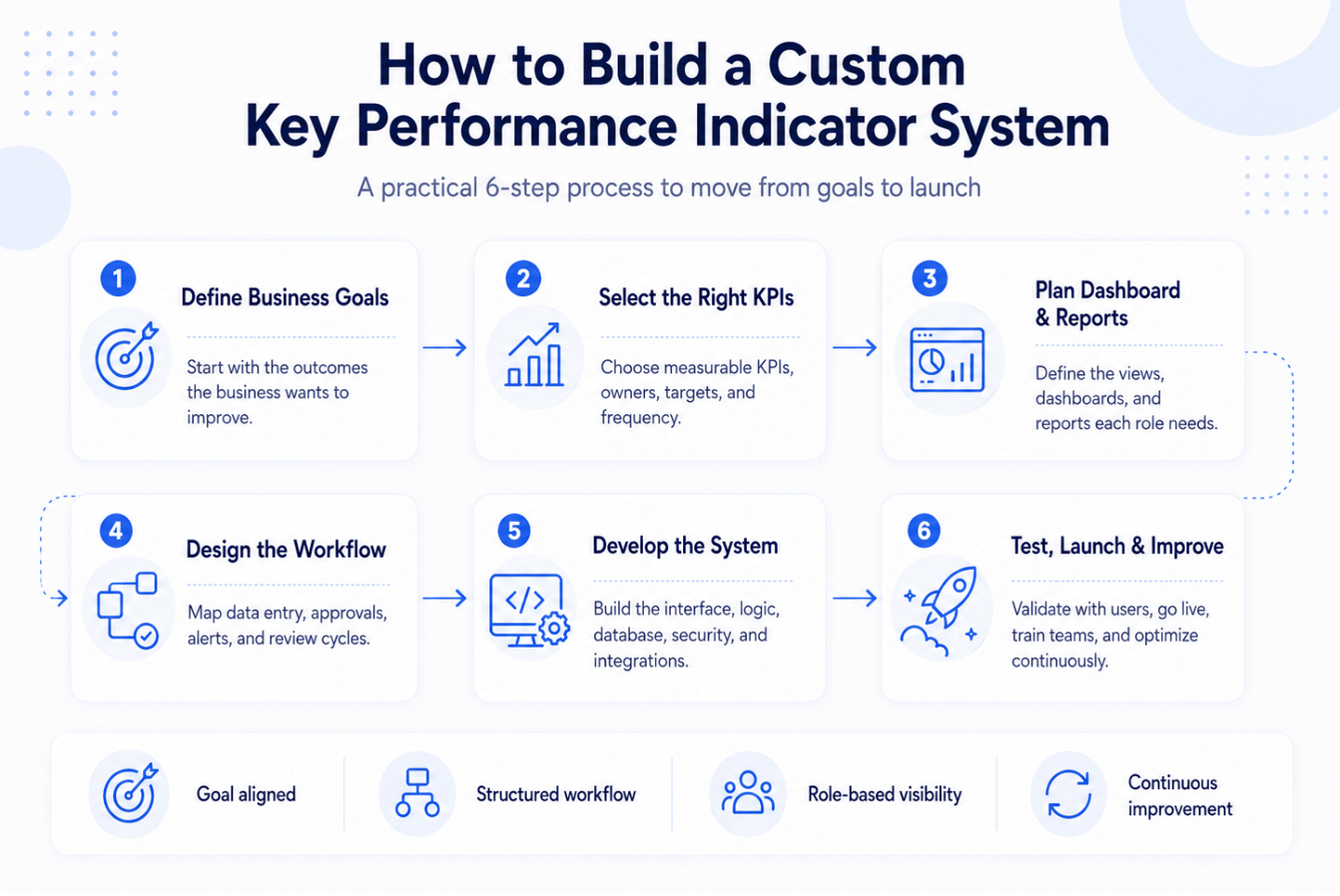
A key performance indicator system is both a business improvement effort and a software project. This is the step-by-step process.
Step 1: Define Business Goals
Every key performance indicator (KPI) in the system should be linked to a real goal for the organization. Don’t start with what’s simplest to report; start with what the company wants to get much better at. First, the system should be built around key goals.
Step 2: Select the Right KPIs
Not all metrics are KPIs. A key performance indicator is a highly specific measure of how well an organization is doing in reaching a company-wide goal or target. For each selected KPI, there should be a clear definition of what is being measured, why it counts, who owns it, how often it is measured, and what the goal is.
Step 3: Plan Dashboard and Report Structure
Planning the dashboard comes before development starts. Decide what each user group, such as executives, departments, projects, employees, construction projects, and report export types, needs to view.
Step 4: Design the Workflow
Configure how data flows through the system. Cover the rules for entering data, the review process, the approval process, the notification process, the reporting cycle, and how the system helps with formal management review meetings.
Step 5: Develop the System
A well-built custom KPI management platform has a frontend interface, a backend application layer, a structured database, role-based access, dashboards, automatic reports, system integrations, and security controls. The global market for custom software development was worth $43.16 billion in 2024 and is expected to expand at a rate of 22.6% per year to reach $146.18 billion by 2030. This growth shows that a lot of businesses are shifting away from generic tools and toward purpose-built platforms.
Step 6: Test, Launch, and Improve
Before you fully deploy the system, test it with real users. User acceptance testing, KPI formula validation, dashboard and report testing, user training, and a feedback mechanism should all be part of the deployment. After launch, schedule frequent improvements based on how people really use the system.
Benefits of Building Custom KPI Management Software
According to a study by McKinsey, businesses that use tailored digital solutions are 20 to 30% more efficient than those that use off-the-shelf items. Key studies show that operations can improve by 35% to 40%, revenue can grow by 20%, and the company can break even in three years.
Here is what custom KPI management platform delivers for your business:
- Centralized KPI tracking in one place for all departments, projects, and teams
- Performance visibility in real time instead of manual reports that come later
- Better decision-making based on facts rather than assumptions
- Reduced manual reporting through automated data collection and report generation
- Better team accountability when measurable targets are clearly assigned to individuals
- Custom dashboards and reports designed around your management review cycle
- Better project control through real-time progress tracking at every level
- Scalable system that grows with the business without platform migration
Forrester Research says that businesses who invest in custom software development can get back up to 259% of their investment over five years. Custom KPI management platform is highly valuable for companies who need more than a conventional dashboard and want a system that fits their particular KPI structure, approval procedure, and reporting needs.
When Should You Build Instead of Buying KPI Dashboard Software?
Build a custom KPI system when:
- Your KPI process is different from those used in other industries or business models
- There are some phases in your reporting workflow that need to be approved or reviewed
- You need to keep track of key performance indicators with data from the site level
- You need role-based access that fits with your organizational hierarchy
- You need to be able to connect to your current ERP, HRIS, or project management solutions
- You want to have full control and ownership over your feature roadmap and performance metrics
- With generic KPI dashboard tool, your team has to learn how to use the product instead of the software learning how to work for you
When organizations use off-the-shelf software, they often have to adapt how they do things to meet the software’s logic. This can make the return on investment go down. Researchers have found that organizations can get up to four dollars back for every dollar they spend on custom software, either through higher sales or better productivity.
Buying software is good for simple needs. When an organization requires flexibility, ownership, and performance tracking that is customized to its process, building a custom KPI system is the best choice.
Common Modules in a Custom KPI System
A full-featured custom KPI system is made up of interconnected modules that may be added as the business grows and demands change.
Module | Purpose |
User Management | Create and manage system users |
Role and Permission Management | Control access by user role |
KPI Setup Module | Define KPIs with targets, formulas, and owners |
KPI Category Module | Organize KPIs by type or focus area |
Department KPI Module | Track performance by department |
Project KPI Module | Monitor KPIs at the project level |
Construction KPI Module | Site-level and project-level construction tracking |
KPI Dashboard | Visual performance summaries by role |
Report Builder | Custom report creation and scheduling |
Notification Module | Alerts for missed targets and approvals |
Approval Workflow | Structured review and sign-off processes |
Export Module | PDF and Excel report export |
Audit Log | System activity tracking for compliance |
Settings and Configuration | System-wide configuration management |
Not every business need all of the modules from the start. A business can start with basic KPI tracking and KPI dashboard tool capabilities and then add more advanced reporting, automation, and integrations as needed.
How Patricius IT Can Help Build a Key Performance Indicator System
Patricius IT is a custom software development company specializing in business software solutions that are suited to the needs of specific industries, workflows, and organizations.
Patricius IT can help your organization create a customized KPI system that works with your workflow, reporting structure, and needs for measuring performance. Our team can build a solution that fits your business process, whether you need KPI management software, a performance tracking solution, or KPI dashboard tool.
Our team has experience in building custom software, data analytics solutions, and business intelligence solutions. We use this knowledge to create KPI systems that give upper management real performance information, not just pretty reports. For organizations that need both structured quality and compliance tracking and KPI management, our quality management system works directly with KPI tracking workflows.
Our development team can design and deliver a solution that matches your requirements, whether you need KPI management platform, a performance tracking solution, or KPI dashboard tool that is built around your business process.
Need a custom KPI system for your business? Contact Patricius IT today to discuss your requirements.
Learn More About Our Key Performance Indicator System
QMS Solutions by Patricius IT
Frequently Asked Quesions
A KPI system is a software that enables businesses to set, track, measure, and report KPIs all in one place. It replaces unconnected spreadsheets with an organized, real-time environment for managing performance
KPI management platform helps businesses keep track of their goals, see how well their teams are doing, cut down on manual reporting, and make smarter decisions based on measurable data. Dresner Advisory Services says that 71% of businesses currently use formal performance management methods, up from 62% in 2023.
The main purpose of KPI dashboard tool is to show KPI data visually. A KPI system handles the whole KPI process, from setting up KPIs to tracking them, reporting on them, sending alerts, and reviewing workflows. The dashboard is just one part of the greater system.
A Performance tracking module helps management monitor progress, identify problems early, compare actual results to goals, and make the team more responsible. KPIs give teams a clear view of how a project is doing, so they can make changes based on facts instead of waiting too long to fix problems.
Construction KPI tracking is the use of KPIs in construction projects to keep track of things like budget, schedule, safety, quality, productivity, and contractor performance. This helps construction companies stay on budget, on schedule, and meet quality standards across all project sites.